
FAQ Public Transport Budget for employees
Read everything you need to know about MOBIKO below.
Your public transport benefit
With MOBIKO, your employer provides you with a flexible monthly budget for the use of public transportation throughout Germany on your way to work and during your free time. Whether for bus, train, tram or underground – with MOBIKO you get your mobility expenses reimbursed quickly, tax-free and uncomplicated with your next salary.
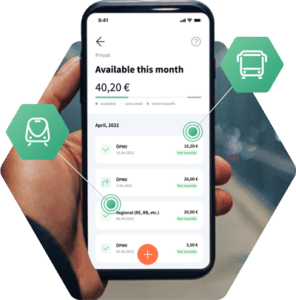
How MOBIKO works for you
Easily submit mobility expenses directly to your employer via app or web app while on the go and get your expenses reimbursed automatically.

Use the transport of your choice, whether for private journeys or your daily commute to work.

Log in to the MOBIKO App or Web App and submit your mobility expenses including receipts.

Your mobility expenses will be reimbursed via your next month’s paycheck.
The most important function of the MOBIKO App at a glance
The MOBIKO App and Web App are intuitive to use – see for yourself.

Add MOBIKO PWA to the home screen
Progressive web apps run via the browser and are accessed like a web page via a URL instead of having to install them on the smartphone via a play or app store. To add the MOBIKO PWA to your mobile screen, just copy the following link into your browser: mobile.mobiko.net.
On an Android phone, a message will come up directly to add the MOBIKO to your home screen. On iPhone, you have to click on the “Share button” and then on “Add to Home Screen”. The PWA will appear on your phone screen just like any other app. You can also use our web app.
Submit mobility expenses
The plus at the bottom will take you to the view where you can submit your receipts. Simply fill in the requested information, upload the receipt or take a photo and submit it.
If an expense needs to be changed, you can click on the receipt to easily change or retract it.
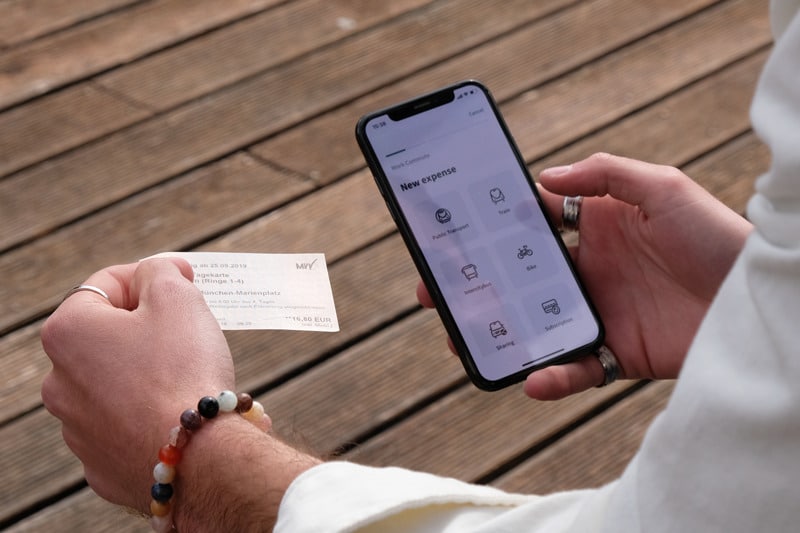
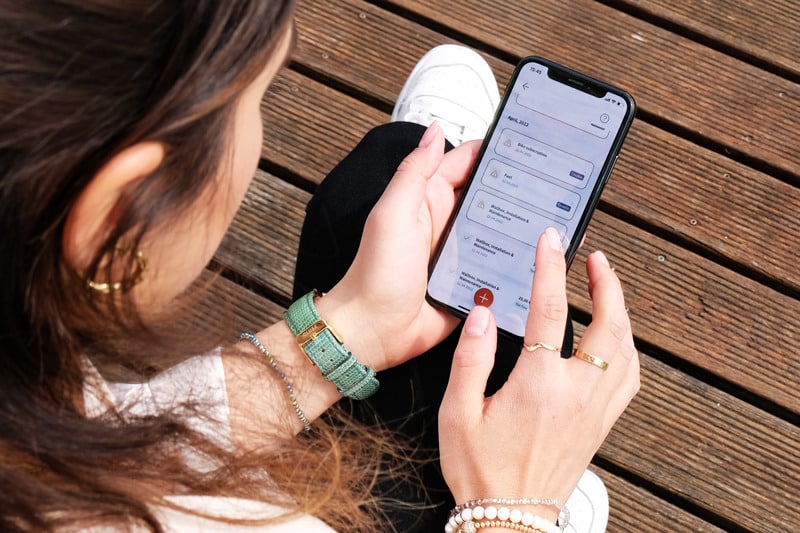
All mobility expenses at a glance
On the home page of the app (PWA) or web app, you can always see all the trip receipts submitted and withdrawn per month at a glance. You know at any time how much budget you still have available.
In the following month, you will be automatically reimbursed for your mobility expenses through your employer’s payroll.
You can use these mobility offers tax-free with MOBIKO
Bus
Tram
Underground
S-Bahn
Regional trians¹
Long-distance trains²
Coach
Work commute
Private trips
Public Transport
Train¹⁺²
Coach³
¹Regional trains (RE, RB, etc.)
²Only on the way to work: Long-distance trains (ICE, IC, EC, TGV, Thalys, etc.)
³Only on the way to work: Coach
¹Regional trains (RE, RB, etc.)
²Long-distance trains (ICE, IC, EC, TGV, Thalys, etc.)
Submit mobility expenses correctly
This needs to be considered


FAQ – Our answers to the most important questions
With MOBIKO ÖPNV Unlimited, your employer can offer you a relevant and innovative benefit in the form of a mobility budget for privately paid mobility. This includes trips to work and other private trips. Simply use all means of public transport in Germany, such as bus, train, streetcar or long-distance bus and get reimbursed quickly and easily for your mobility costs in the maximum amount of your mobility budget with MOBIKO.
As soon as your employer chooses MOBIKO, we will send you an email invitation to join MOBIKO.
After your successful registration in the MOBIKO app you can start!
You can immediately enter your receipts, tickets or invoices for mobility costs digitally with the app and track their status.
In short: No paperwork and maximum freedom of mobility!
Your submitted mobility costs will be reimbursed up to the maximum amount of your total monthly budget along with your salary in the following month.
MOBIKO uses a so-called Progressive Web App (PWA) instead of a native app, which we traditionally know from the App Store.
The PWA is therefore not downloaded from the App Store. In return, we can carry out updates more quickly and are not dependent on an app store provider.
You can find out how to download the app in the following installation videos (please note: videos are in German).
Of course, MOBIKO is available in English and German. You can change languages in the Web App by clicking on your name in the top right corner and selecting “Change Language”. You can find the same option in the mobile App when selecting “My Account” in the bottom right corner.
We won’t leave you alone! 🙂 You will receive an E-Mail from MOBIKO if there are any changes to the App or simply to remind you to hand in your receipts at the end of the month.
We are happy to assist you to make your MOBIKO usage as easy as possible. Just send an e-mail to support@mobiko.de and we will get back to you as soon as possible.
With MOBIKO, your employer grants you a mobility budget that allows you to get your privately paid mobility reimbursed. Freedom of mobility – paid by your employer. 😊
And what is privately paid mobility? It includes your direct journeys to and from work (i.e. from your place of residence and your first place of work) and other private journeys, such as your weekend trip by rental car.
The MOBIKO app does not allow you to enter business travel expenses. You wouldn’t even want that, as this would reduce your private MOBIKO budget. Your business mobility costs will continue to be reimbursed via your company’s travel expense process, independent of MOBIKO.
Examples for the use of mobility with MOBIKO ÖPNV Unlimited (not an exhaustive list):
On the way to work and for private trips:
Public bus
Tram
Underground
S-Bahn
Local train: e.g. RE, RB, BOB, etc.
Additionally, on the way to work (residence to first place of work):
Long-distance train: e.g. ICE, IC, TGV, etc.
Coach: e.g. Flixbus, BlaBlaBus, IC Bus, etc.
are submitted.
Your employer determines the amount of your MOBIKO mobility budget. You can view your monthly budget in your MOBIKO app. As soon as you enter mobility costs, they will be deducted from your budget and your residual budget will be updated.
Congratulations! This means that you took maximum advantage of MOBIKO.
You can still upload and submit additional receipts this month, but they will no longer be considered.
Of course, it may happen that a receipt is rejected and you don’t correct it in time. It can then be replaced by another receipt and your MOBIKO budget will be optimally utilized.
You will receive maximum payout for your claims by uploading your mobility expenses. If they amount to less than your monthly budget, it’s no big deal. The following month you will have the full budget available again.
When implementing MOBIKO your employer decides whether unused budget can or cannot be carried forward to the next month. If budget overflow has been enabled when implementing MOBIKO unused budget will be added to your normal budget in the following month. More information on budget overflow and the expiration date can be found by clicking the “?” next to the month display in the mobile app.
In general, you should register with MOBIKO within 7 days of receiving the registration link. If you have missed this, please ask your admin to invite you again.
The link to the password reset is valid for three hours. If you need a new link, please write a short email to support@mobiko.de.
Five conditions must be met:
- You have an invoice for your mobility costs.
- You have used the service or bought a ticket.
- You paid.
- Your expense was related to mobility (see “What kind of mobility expenses can I get reimbursed?”).
- You haven’t submitted the invoice yet – neither in a previous month nor as travel expenses.
There are several ways to do this:
- You have received a paper invoice? Take a legible photo with your smartphone or tablet and upload the photo to your MOBIKO app.
- You have received an invoice by email? Upload the complete PDF into the MOBIKO app.
- Your mobility expense has been withdrawn from your account (e.g.direct debit of your public transport subscription)? Take a screenshot or photo of the transaction and upload it into the MOBIKO App.
Please note: Create an expense for each individual receipt and please check if it is a valid invoice. E.g. screenshots of a confirmation email is not getting accepted.
The MOBIKO app supports the following upload formats: .pdf, .png, .jpg, .jpeg
Please make sure that all information on uploaded receipts is legible. Covered or hidden information will result in rejection of the expense.
Receipts for the current month have to be entered and submitted in the same month, latest until the 3rd day of the following month though.
Receipts entered but not submitted will not be taken into account in the reimbursement of mobility costs.
Basically: Always indicate the date of billing or date of purchase, which is outlined on the receipt. Its a necessity for this date to correspond to the current month. Say: December receipts have to be submitted in December. January receipts have to be submitted in January, and so forth.
Please take note when pre-booking mobility (like trains):
With pre-booked and paid means of transport (e.g. train tickets, stripe cards or multiple-trip tickets for public transport) you can claim the costs immediately, although the journey takes place later. Please submit your receipt as soon as you receive it and always enter the invoice date, not your travel date.
Example: You take the train to Berlin in November and have already bought your train ticket on the 10th of July. You are currently in the budget-month of July, so please enter the 10th of July as invoice date in the receipt entry screen.
Sometimes it happens that you’ll get a ticket without a date on it. Please ask for a receipt at the ticket counter or the service provider and upload it together with your ticket.
In general: you can use your MOBIKO budget for your personal privately paid mobility expenses (for commute and leisure time).
Should there be an invoice recipient stated on your invoice, please make sure it‘s your home address and not your work address. Otherwise your expense will get rejected.
MOBIKO is a benefit offered by your employer, so in general your mobility budget is designed to be used for your own mobility expenses.
There are some special cases though:
✔︎ I bought a train ticket etc. for my partner and myself and paid for both of the tickets. My home address is stated on the invoice: You can use the invoice to get your mobility expenses reimbursed. Please insert only your ticket costs into the expense mask though.
✔︎ My partner bought the train etc. ticket for me and paid it as well. I reimbursed him/her the cost though. The home address of my partner is stated on the invoice and I am listed on the ticket/ receipt as a traveller: You can use the invoice to get your mobility expenses reimbursed. Please insert only your ticket costs into the expense mask though.
✗ A friend of mine bought a ticket for me and paid it as well. I reimbursed him/ her the cost though. My friend is the invoice recipient and I am not listed as an additional traveller on the ticket or invoice: You cannot use the invoice to get your mobility expenses reimbursed as it isn‘t clearly showing that you were one of the travellers.
✔︎ I bought a group ticket for the public transportation. The names of the persons I am traveling with and my name are stated on the ticket/ invoice: You can use the invoice to get the entire amount of the group ticket reimbursed.
✔︎ I bought a group ticket for the public transportation. There are no names of the group I am traveling with nor my name stated on the ticket/ invoice though: You can use the invoice to get the entire amount of the group ticket reimbursed.
Yes, you can. However, you will only be reimbursed up to the maximum amount of your monthly mobility budget. Any additional costs or receipts submitted can no longer be taken into account.
Example: You have a monthly available MOBIKO mobility budget of 100€. Your train ticket costs 156€ though. Please enter the entire amount – 156€. Your reimbursement for the month will be at most 100€.
Yes, you can do that. You can divide the annual bill by 12 months and submit it monthly. Upload the annual invoice for your BahnCard to the MOBIKO app each month and let us know in the comments field which monthly instalment this is.
Example: Your BahnCard 50 cost €244.00. The monthly instalment is then €20.33. For the first submission, enter ‘Rate 1/12’ in the comments field, upload the total invoice and enter €20.33 as the refund amount. The next month, enter ‘Rate 2/12’, upload the total invoice and enter €20.33 as the refund amount, and so on.
As your annual public transport pass will be deducted on a monthly basis you can upload the expenses each month to MOBIKO. Therefore just easily upload a screenshot or a photo of your activity statement of this payment.
In contrary to the monthly payment method, the total amount is debited in one single transaction. Please submit the invoice (or the screenshot of the direct debit) for the first time in the month in which you receive the invoice or in which the amount was debited to your account. To do so, you should divide the annual amount by twelve and add a comment to the issue, such as “annual payment method, rate x/12”. In the following months you can repeat this issue and use the same invoice or direct debit (regardless of the invoice date).
Even if you use the stripe card for several months, you can upload your stripe card to your MOBIKO app immediately upon purchase. The invoice date is your purchase date.
Hint on public transport stripe cards: submit proof of total cost of the stripe card. Please submit the total costs and not only a corresponding share.
This has a tax background. On your train ticket/receipt your types of trains are broken down, so you can choose the right type accordingly.How does it work? Please assign any ticket including an ICE, IC, EC, TGV, Thalys, etc. (fast trains) at least once to the category “Train – long distance”. All tickets for regional trains, such as RE, RB, Bayernticket, NRW-Ticket, BOB, Meridian, etc. belong into the category “Train – regional”.
Are you a user in Switzerland or in Austria? Then you are welcome to ignore this classification and assign your train ticket to the mobility type “Train- long distance”.
As soon as your account has been credited with the reimbursement of the mobility expense, you are welcome to discard the original receipt or invoice.
This happens to the best of us! 😊
You can view your submitted receipts at any time in the MOBIKO app under “My expenses” and edit the receipts from the current month, if necessary.
If you want to change a receipt, please follow these steps:
- In the expense management, please click on the corresponding expense you want to edit.
- The receipt entry screen will be displayed and you can simply click on the entry (on the right) that you want to edit.
- Ultimately click on “Submit” to hand in your expense.
There can be several reasons for this. The classics: Your receipt is not legible; you have uploaded an incorrect receipt; your details contradict your receipt or your submitted invoice is not for mobility expenses, as described under “What kind of mobility expenses can I get reimbursed?”.
The good news: In most cases you can fix the error yourself by uploading the correct receipt or by correcting the information. Please do so in time so that the receipt can be considered at the upcoming reimbursement.
Direct payment is not possible at present. Please upload the receipts from your mobility provider to the MOBIKO app.
Once you have entered your receipt into the MOBIKO app, it will be checked by your company or by MOBIKO and payment will be made to your account. Usually, your mobility expenses will be reimbursed along with your salary in the following month.
Example: Your accumulated and submitted mobility expenses for June will be reimbursed along with your July salary.
MOBIKO is a benefit to you which is offered voluntarily and additional to your normal salary. This means it is a countervailing benefit which has to be taxed accordingly. With MOBIKO ÖPNV Unlimited, only mobility types that are exempt from taxes and social security contributions are reimbursed. You will be reimbursed the mobility budget by your employer via the monthly salary run. More information about this in the following.
No, solely the use of MOBIKO does not make a tax declaration mandatory.
No, of course not. We developed a product which is supposed to be as user friendly as possible. Therefore, nothing changes for you when creating your tax declaration since you still only take over the numbers from your income tax statement.
The only small difference is that tax-free reimbursements are accounted for in line 17 of a German income tax statement and lower your tax allowable expenses (“Werbungskosten”). This is not to your disadvantage since you have already profited with your mobility budget during the year.
In short: indicate your work commute as usual and it will automatically be corrected by the already reimbursed amount.